Age 6
Reading
The blocker
Guesses words from the first letter
The app
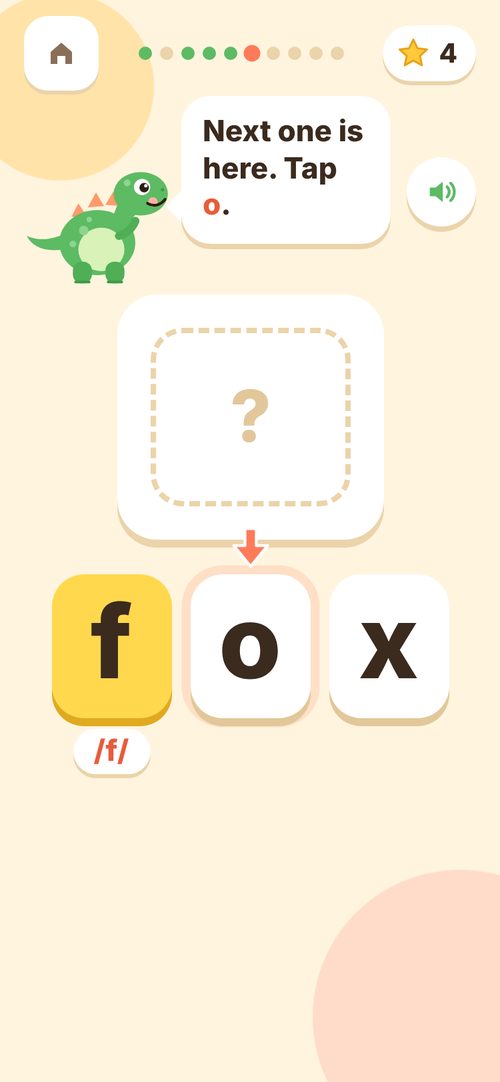
Dot the Dino helps them sound out each letter, then blend the word. Every word they read earns a sticker.
Learning apps, built by parents
A few years ago that meant paying a developer. Now you describe what your child is struggling with to the AI assistant you already use, and it writes the app. The first working version takes about 30 minutes. You don't write any code.
Getting it polished takes longer, because you'll keep thinking of features to add.
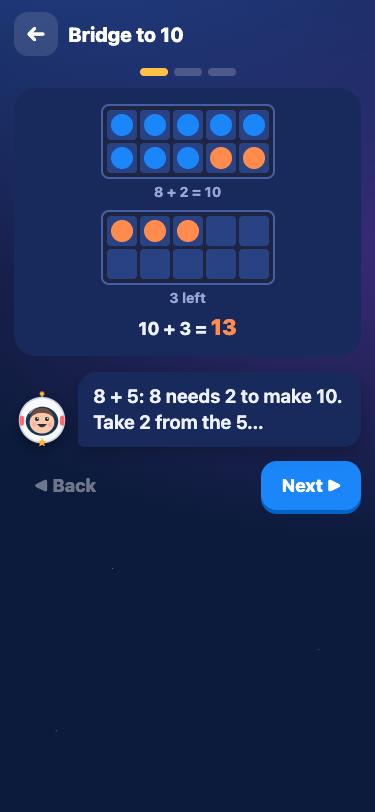
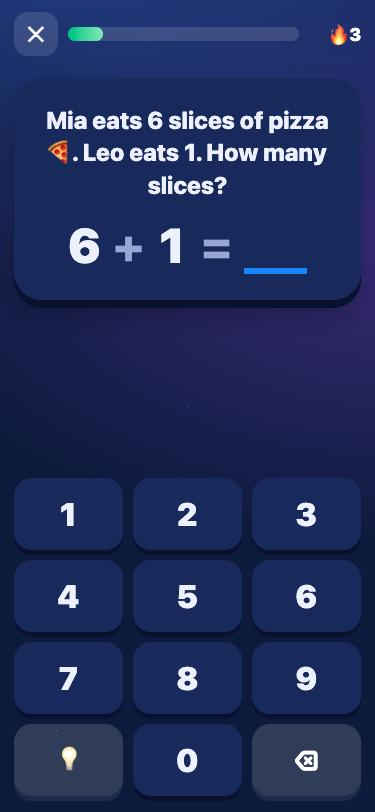
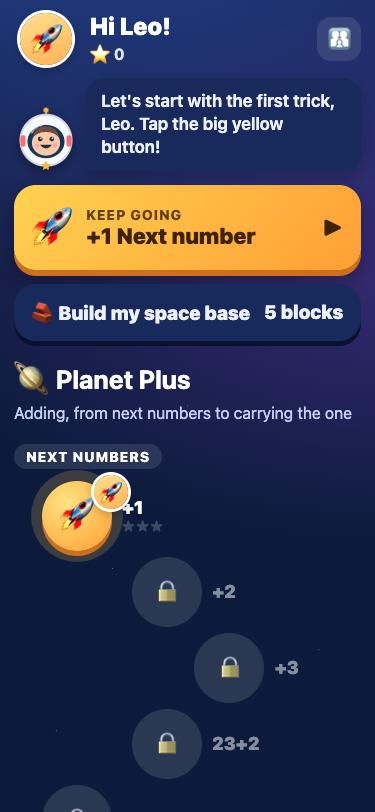
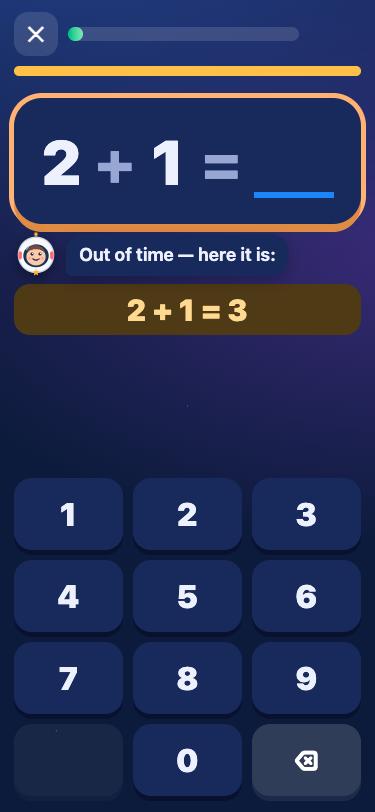
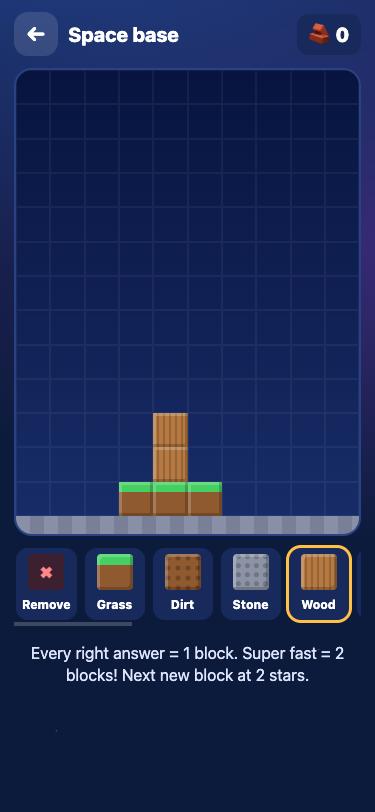
Real screens from the app I built for my son
Why now
Tell an AI assistant what you want in plain English and it writes a small working app. Ask for a change and it makes it.
It opens from a link and sits on the home screen of a phone or tablet like any other app. There's no app store involved.
Each app tackles one blocker. That keeps it quick to build and simple for your child to use.
You know them best
A learning app has to work for every child who downloads it. Yours only has to work for one.
The exact moment it goes wrong: the fact they count on their fingers, the word they always guess.
A timer, being watched or a wrong answer in red can turn practice into tears.
Maybe it's a favourite game or food, collecting things or beating their own score.
Sitting beside them, small steps or a story can all go into the app.
My story
He's in Grade 2 and was struggling with maths at school. Every week brought more practice and more pressure to show progress.
Then he started crying. He got angry, then he went flat and said he wanted to quit. My first reaction was frustration: I thought he was quitting at the first hurdle, so I kept telling him to practise more.
When I sat with him and asked gently what was going on, the real problem came out. To finish in time, he was counting on his fingers. He'd never memorised the single-digit facts the rest of maths is built on. More practice against the same clock wasn't going to fix that.
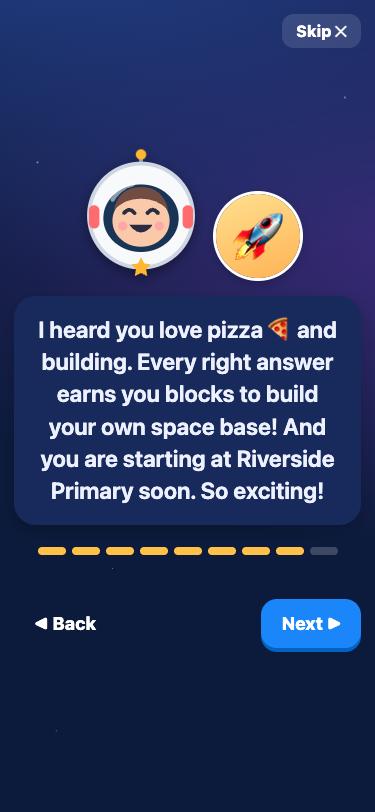
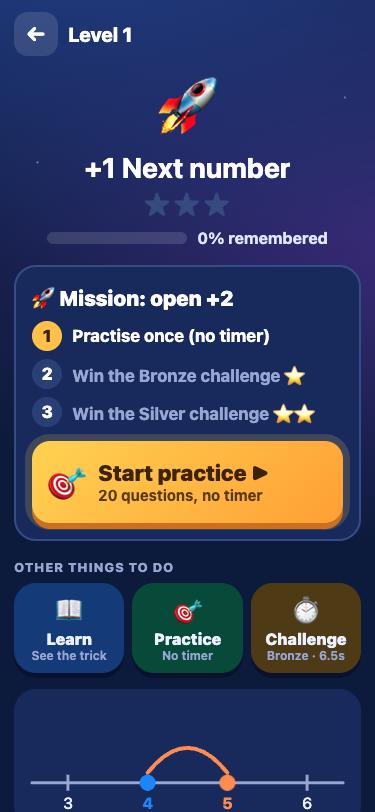
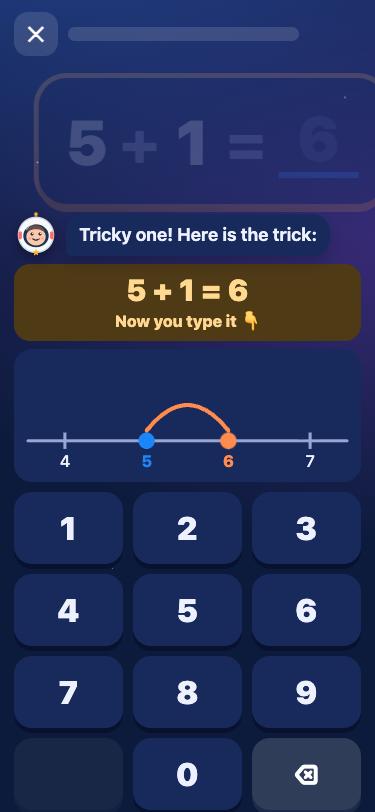
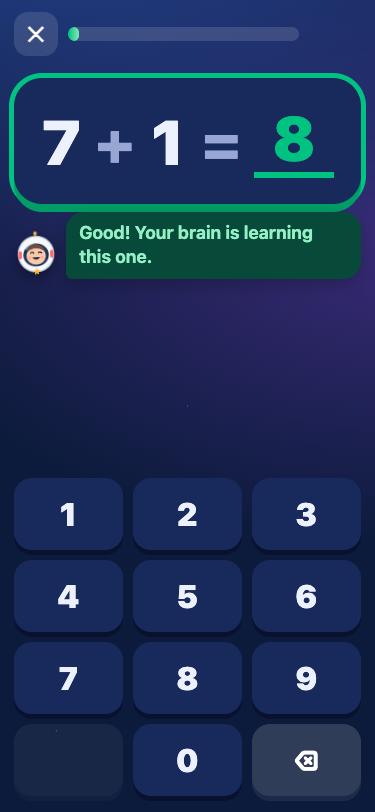
School sees his worksheets, but I see what he's like at home. So I built him a learning app with AI: a friendly astronaut guide who's on his side, his own stickers as profile pictures, questions about the food he loves and wrong answers that lead to a second try.
Maths was his blocker. Yours might be phonics, essay writing or final-year chemistry. Built for Them turns what I did into a pattern any parent or student can follow. When the blocker changes, you use it again.
Chean, dad and founder
Inside the app I built
Real screens from the app. Each one is there to help him remember single-digit facts instead of counting them. His name and family details have been changed. Scroll for more.
Mini-apps
Having been through it myself, I'd like to help other parents and guardians build mini-apps for the concepts and topics their kids find hard. This waitlist is how I'm finding out whether that's help you'd want too.
Your child might only use an app for a few weeks. Once it's done its job, they move on. When they get stuck on something else, you build a new one.
Example builds
Six example apps, each built with the same approach for a different age, subject and blocker. The names in them are made up, and they're examples rather than customer stories. Scroll for more.
The blocker
Guesses words from the first letter
The app
Dot the Dino helps them sound out each letter, then blend the word. Every word they read earns a sticker.
The blocker
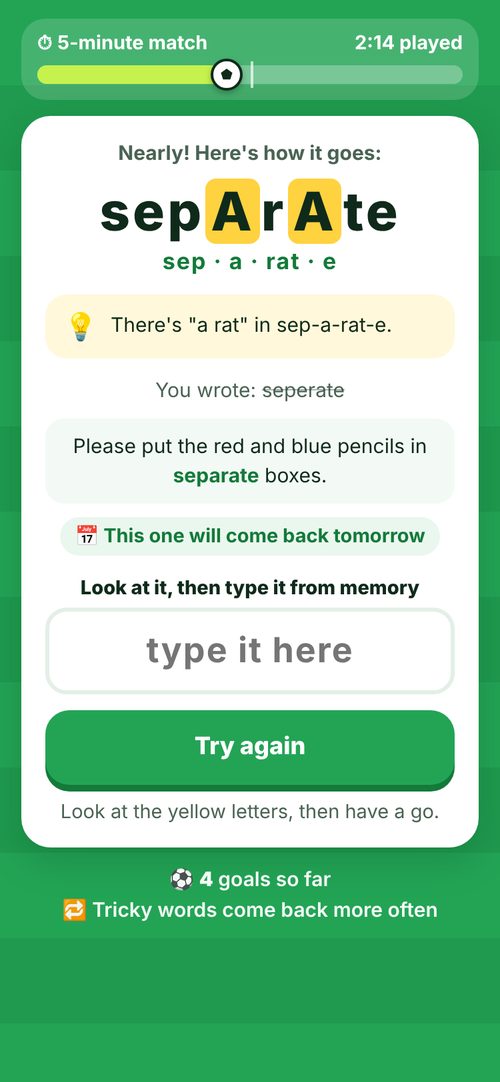
Forgets the weekly list by Friday
The app
A parent types in the school list. Five-minute daily matches bring the tricky words back more often.
The blocker
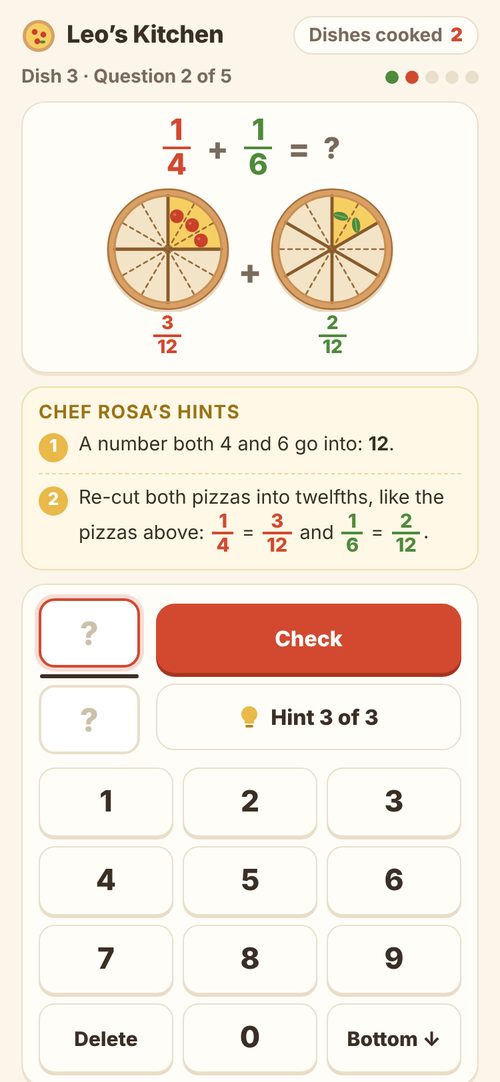
Freezes when the bottom numbers differ
The app
Every sum is a pizza. Chef Rosa's hints show how to cut the slices before the answer appears.
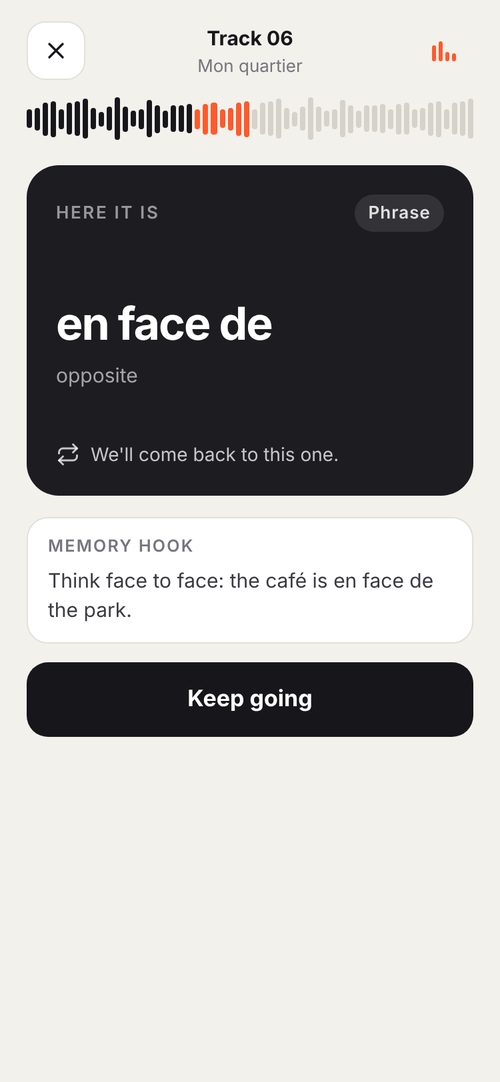
The blocker
A perfectionist who quits after one mistake
The app
Short rounds with memory hooks. A missed word comes back later in the round instead of being marked wrong.
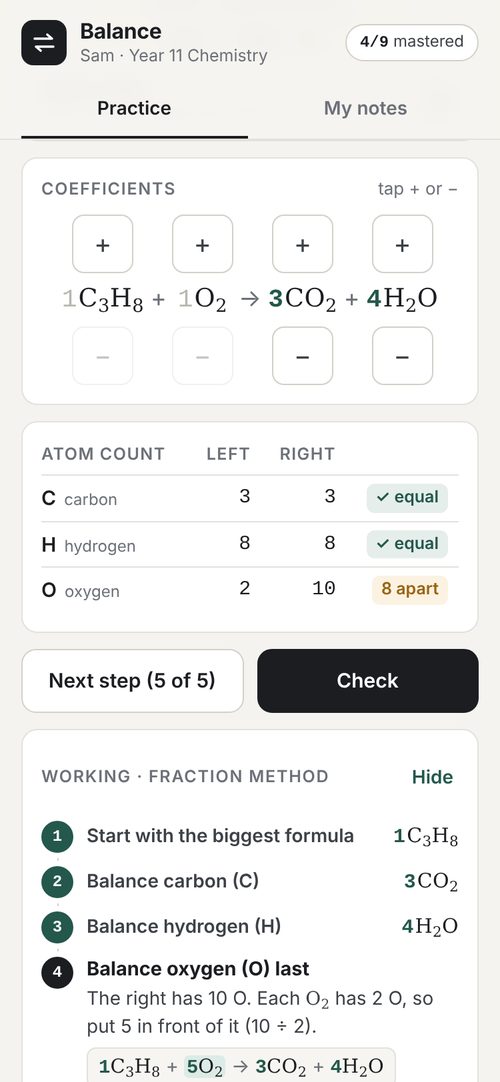
The blocker
Knows it at home, blanks in exams
The app
Equations come from their own class notes. The exam timer only starts when they switch it on.
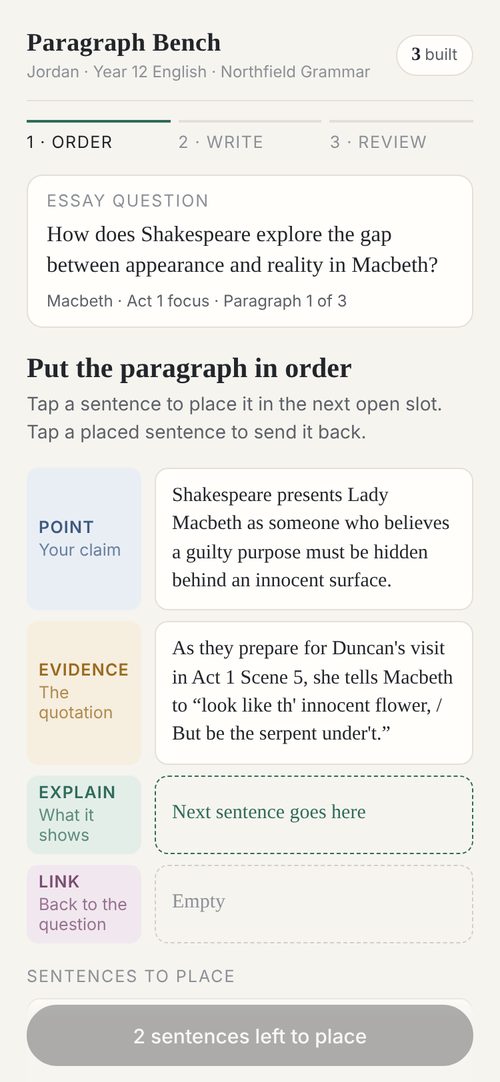
The blocker
Knows the content but can't structure a paragraph
The app
They put the point, evidence and explanation in order, then write the paragraph themselves.
How it works
I'm turning what I learned building my son's app into a starter kit you use alongside your favourite AI assistant. It gets you to your first working app. Along the way you learn how to brief your AI assistant, test what it builds and fix what breaks, so you can keep making mini-apps for your kids, or for yourself. The kit starts from templates I've built for different age groups, topics and challenges. You change them to suit your child, and they guide you and your AI assistant through the main choices about features and how the app works.
What they find hard, how they react when it gets hard and what keeps them going. About 3 minutes.
A brief written around your child, a template to start from and step-by-step instructions that turn your AI assistant into a patient build coach.
Paste in the kit and follow the steps. You'll have a first working version in about 30 minutes. After that you add features and put it on their device.
Yes. The kit is being written for people who've never coded. It will tell your AI assistant how much you've done before, so the assistant explains each step in plain words and checks it worked before moving on.
A first working version usually takes about 30 minutes. Getting to a polished app takes longer, mostly because you'll think of features to add as you watch your child use it. Times vary.
The kit will include a troubleshooting guide for the common problems, like a blank screen or lost progress. Your AI will change one thing at a time and keep a copy of the last working version, so you can always go back.
Every kit will include the troubleshooting guide. Your AI assistant will also act as your build coach. The waitlist quiz asks whether you'd also like live workshops or one-on-one help.
We're designing the kit for ChatGPT, Claude and Gemini. We're testing their free versions now. Some free plans limit how much you can build in one go, so you may need your assistant's paid plan for the build. We'll confirm which plans work before launch.
Every learner is different, so we can't promise results. You'll get the process I used myself, prompts for uploading examples and rules your AI follows: gentle by default, no diagnoses, answers double-checked. It's a practice tool to use alongside school, not tutoring, therapy or professional advice.
Many families keep using them for the wider curriculum. Built for Them is for when a learner hits a wall those apps can't see. You build practice around their exact blocker, personality and interests.
Yes. For young kids, a parent builds the app. From about 10, you fill in the quiz together. Teens and final-year students can build their own with a parent alongside, checking content against their course materials.
The quiz takes about 3 minutes. Waitlist members get launch pricing when the first kits are ready.
Join the waitlist